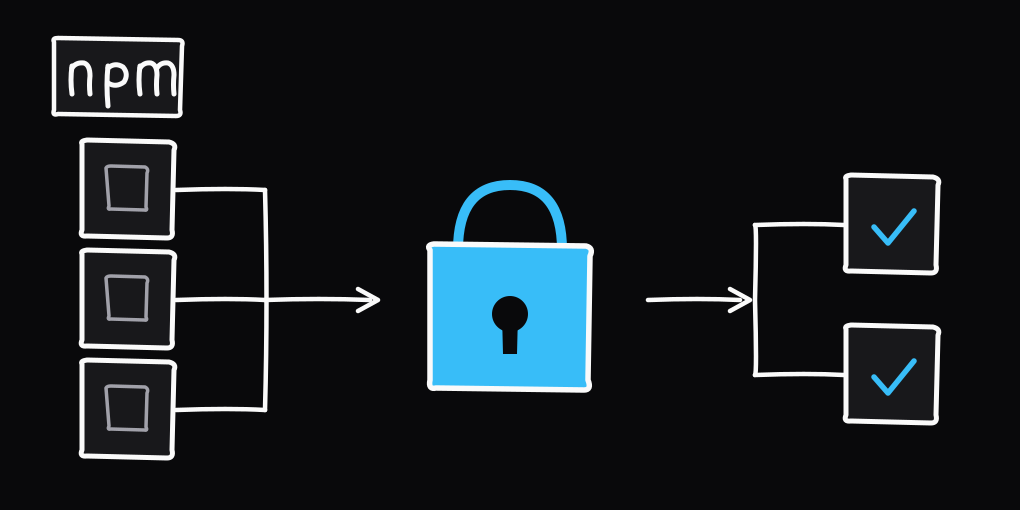
Preventing npm supply chain attacks
A new npm compromise lands every few weeks. The pattern is familiar: steal a maintainer's credentials, publish a poisoned version, and let the registry distribute it before anyone notices.
How one compromise reaches everyone
One stolen login publishes a poisoned version, and the registry pushes it to every install before a human catches it.
The chalk and debug compromise in September 2025 poisoned packages with 2.6 billion weekly downloads after a single maintainer fell for a 2FA-reset phishing email. The Shai-Hulud worm self-replicated across more than 500 packages, including @ctrl/tinycolor and CrowdStrike's, by stealing tokens at install time and republishing through them. The Nx postmortem in March 2026 chained into an AWS admin takeover. The Axios incident bypassed OIDC entirely by using a stolen npm token. And the TanStack postmortem covered a May 2026 sweep that used GitHub Actions cache poisoning to steal live OIDC tokens at publish time.
The defense has three layers: choose dependencies carefully, configure your install tooling, and protect your own release process.
Do you need this dependency at all?
The cheapest attack to defend against is the one where you never install the package. Before you run npm i, yarn add, or pnpm add, ask whether you need the dependency. Could a few lines of local code solve the problem?
Then check the dependency footprint. A package that pulls in fifty others adds fifty more maintainers who could be phished. Fewer dependencies mean a smaller attack surface.
Read the maintainers, not just the README
Open the GitHub repository and inspect the Commits tab. Filter out bot activity. A two-year gap followed by a sudden burst of releases can signal an abandoned package that changed hands, or an account takeover.
Look at who does the work. If almost every commit and release comes from one person, there is a concentration risk: one phished maintainer can compromise the whole project. A quiet year followed by several patch releases in one week deserves a closer look.
Check the latest release for a provenance attestation. It ties the tarball to a specific commit, repository, and workflow run. A missing attestation does not prove a compromise, but an attacker without control of the repository cannot create a valid one.
Watch out for slopsquatting
Slopsquatting is a supply chain attack where hackers register fake, malicious software packages that AI models frequently hallucinate, tricking developers or AI agents into installing them.
AI coding assistants sometimes suggest package names that do not exist. Attackers register those names ahead of time, a practice called slopsquatting or hallucination squatting.
Any LLM-suggested package deserves a thirty-second sanity check: open it on npm, click through to the repo, and confirm the name maps to a real project.
Installing
Once you decide to install a package, your package manager becomes the next line of defense. pnpm 11 includes defaults that npm does not, so this section focuses on pnpm.
minimumReleaseAgeis the biggest single setting. pnpm 11 defaults to 1440 minutes, refusing any version published in the last day.
TIP
npm has its own min-release-age setting for the same job, added in npm 11.10.0.
strictDepBuildsis the other one. On by default in pnpm 11, it means lifecycle scripts only run for packages you explicitly list inpnpm.onlyBuiltDependencies. Keep the lockfile committed, and never run CI with--no-frozen-lockfile.
TIP
Npm does not have this, but you can set --ignore-scripts to disable all scripts.
In pnpm 11 these settings live in pnpm-workspace.yaml:
# pnpm-workspace.yaml
minimumReleaseAge: 1440
minimumReleaseAgeStrict: true
onlyBuiltDependencies:
  - esbuild
On npm, put the cooldown in .npmrc:
# .npmrc
min-package-age=72
ignore-scripts=true
Publishing
If you publish to npm, you also need to protect your own releases from being hijacked.
- The biggest single change is dropping
NPM_TOKENand switching to npm OIDC trusted publishing. GitHub mints a short-lived token per workflow run and npm verifies the signature. - OIDC is not a magic bullet. The token is short-lived, but it still sits in the runner during the job. TanStack got hit this way: attackers poisoned Nx's GitHub Actions cache, the publish job restored it, and the malicious code read the live OIDC token. So treat the Actions cache as untrusted, and do not restore caches in the publish job.
- Pin every action to a 40-character commit SHA (
actions/checkout@de0fac2e4500dabe0009e67214ff5f5447ce83dd # v6) so a dependency cannot change under you between runs. - Stage releases before they hit
latest.pnpm stage publish(pnpm 11.3+) splits upload from promotion, which gives you a window to catch a bad release. - Keep the publish job small. Run tests, lints, and installs on earlier jobs that do not have
id-token: write. Every extra step inside the privileged job is one more place a token can leak. The publish job needs a couple of things, lifted from Kubb's release.yml:
permissions:
  contents: write
  id-token: write
  packages: write

env:
  NPM_CONFIG_PROVENANCE: true
Staged publishing
Without staging, a compromised CI runner publishes straight to the latest tag. The bad version reaches everyone running npm install or pnpm i within minutes. Staged publishing breaks that path in two.
Staged publishing splits the path in two
A stolen token publishes straight to latest without staging. With staging the release parks until a maintainer promotes it behind a 2FA prompt that never reaches the runner.
- First, CI uploads.
pnpm stage publishsigns the release and pushes it to npm as a staged version that no one can install yet. - Second, a human promotes it. A maintainer reviews the staged version and moves it to
latest, and npm requires 2FA for that step.
That split is what saves you. An attacker who steals your tokens from a poisoned workflow still cannot promote the release. The 2FA prompt lands on your hardware key or authenticator, not the runner. The release sits in staging until someone with the key approves it, and that is your window to catch it and abort.
The checklist
Before installing:
- Run the removal test. Do you actually need this package?
- Check maintainer count, release cadence, and time since the last real commit.
- Verify any LLM-suggested package name links to a real repo with provenance.
At install time:
- Use pnpm 11+ for the cooldown and the strict build allowlist.
- Set
minimumReleaseAgeStrict: trueand keeppnpm.onlyBuiltDependenciesshort. - Install with
--ignore-scriptswherever your tooling allows it.
When you publish:
- Enable OIDC trusted publishing and remove
NPM_TOKENfrom secrets. - Set
NPM_CONFIG_PROVENANCE: truein the publish job. - Pin every action to a 40-character commit SHA.
- Do not restore GitHub Actions caches in the publish job.
- Stage releases via staged publishing before they hit
latest. - Turn on two-factor auth with a hardware key on your npm account.
None of this stops a determined attacker forever. Layering these controls means one failure does not have to end in a poisoned release.